Step 1: Open File Manager
Navigate to File Manager:
Once logged in, find and click on the File Manager option.
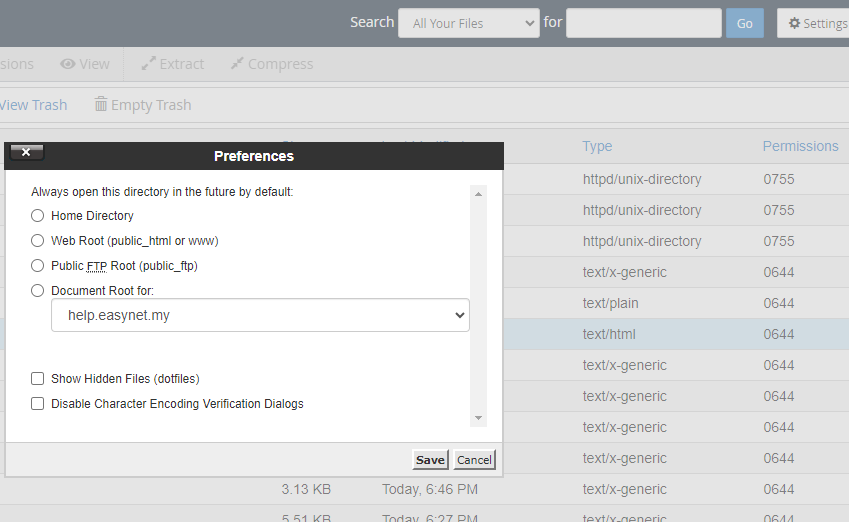
Step 2: Show Hidden Files
Enable Hidden Files:
In the File Manager, locate the settings or preferences option.
Ensure that the Show Hidden Files (dotfiles) option is enabled. This will display all files that start with a dot (.), including the .htaccess file.